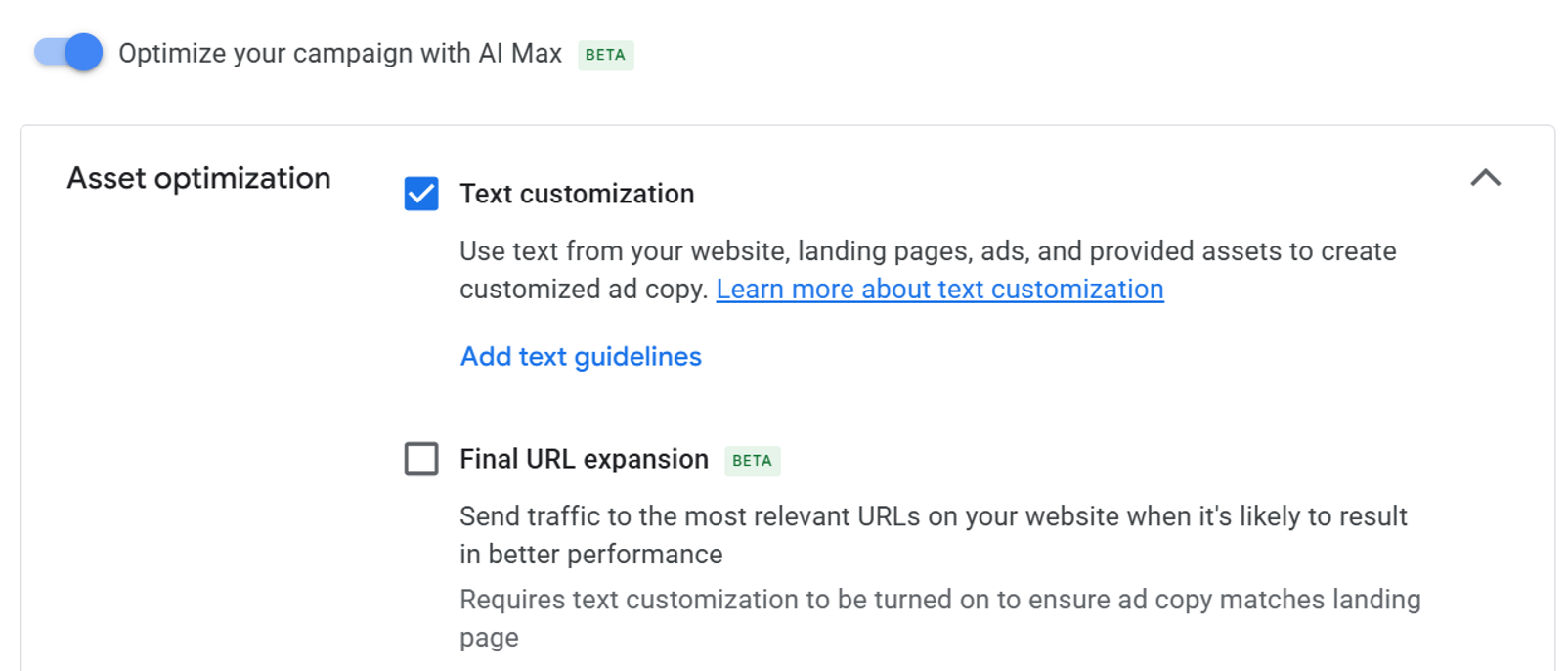
One of AI Max's capabilities is creating assets for you, reducing the need to customise ads for every ad group and taking strain off the PPC team.
To quantify how well text customization actually works, tests were run with three different companies. The headline finding: results diverged sharply by business type.
Understand messaging restrictions first
Before running the test, turn on AI Max and text customization.
Since this is AI working in the background, it can tailor assets in every ad group to that group's keywords.
The catch: those assets can sometimes be used to run promotions or advertise products and services you don't offer.
So apply messaging restrictions when using auto-created assets.
A four-step process
The whole thing is simple and only takes an hour or two:
- Use a prompt in Gemini to create your initial assets.
- Then prompt it to make the ads overly promotional and create promises you don't like — essentially having the system write ads you don't approve of.
- Write messaging restrictions to stop those assets from being generated.
- Prompt for highly promotional ads again with restrictions applied, repeating until everything fits your guidelines.
Rather than imagining a prohibition list, you make the system produce genuinely bad ads and write rules against those outputs.
The test design
Three business types were selected: ecommerce, B2B lead gen, B2C lead gen.
In each account, only campaigns meeting these criteria were used:
- Did not use brand keywords
- Spent at least $20,000 per month
- Had at least 100 ad groups
From each account, two closely watched campaigns and two somewhat neglected ones. Campaigns not relying heavily on pinning were selected, and campaigns using final URL expansion were excluded so only assets were tested.
Asset review is mandatory work
While running the tests, monitor auto-created assets and remove any that don't align with your brand messaging or offers.
An operationally important trap:
To find AI-generated assets, you must change the default filters to include the ad — this filter isn't chosen by default.
The companies monitored assets as they were created and removed them before they received many impressions.
Ignoring the B2B results, approximately 19% of auto-created assets were removed.
Results split by business type
Ecommerce — cannibalisation surfaced
This company sells over 100,000 SKUs. Many users are accustomed to visiting the website and searching again if the landing page lacks the specific product they want.
At first glance, both AI Max and text customization appeared incredibly successful.
Further analysis produced a different picture.
AI Max was poaching impressions, clicks and conversions from other campaigns, and overall revenue for the account declined.
The company responded by adding many search terms as keywords to help Google prioritise the correct ad group and campaign, then adding more negative keywords and audience lists to slow cannibalisation before rerunning the tests.
Conclusion: AI text customization was not as effective as human management of assets for highly optimised campaigns. However, it was good at assisting the long-tail campaign.
B2B lead gen — stopped after three weeks
When creating RSA assets for B2B companies, one of the most important considerations is properly prequalifying your audience through asset usage.
You want your ads to be unattractive to B2C searchers and appeal to B2B searchers.
This company had previously used pinning quite extensively to ensure that qualification. To see how well Google could optimise, it removed its pins during the test.
The result was unambiguous:
The nuance of prequalifying a B2B audience is one that text customization clearly doesn't understand.
- CTRs skyrocketed
- Conversion rates declined significantly because the ads were attracting many B2C searchers
The messaging restrictions did include language to prequalify users as B2B. While some assets met that criterion, the overall ads shown to users didn't properly appeal to B2B buyers.
The other tests ran over a month. This company stopped after three weeks because results were so poor, returning to pinning and removing auto-created assets. Within a week, results returned to pretest levels.
B2C lead gen — the long tail delivered
The final test involved a B2C lead gen company localising ads through geographic ad copy or geographic insertion.
- Optimised campaigns: tailored ad copy for the keywords in every ad group
- Long-tail campaign: a few headline assets per ad group tailored to keywords, but most assets reused across ad groups
Seeing formulaic ad copy in lower-priority campaigns is quite common, and this is where we were hoping to see AI auto-created assets perform well, since there was a lot of opportunity for better ads.
AI Max auto-created assets didn't disappoint in these low-priority campaigns.
They didn't outperform the assets humans had spent a lot of time testing in top campaigns, but AI performed quite well for the long-tail campaign.
Where AI Max automated assets work best
AI is a fantastic tool. For ads where you spend a lot of time thinking through messaging, it can be good at helping generate ideas — but human-created assets still outperform AI-generated assets.
If you need specific types of assets, such as prequalifying users for B2B audiences, specific offers, or short-term promotions, take control of the assets yourself and don't turn them over to AI.
However, auto-created assets shine when you just don't have enough time to fully optimise your creatives.
Assuming you have good messaging restrictions and regularly review the assets, using AI to create them can help overall performance.
We're still a long way from AI being a turn-on-and-forget setting. It needs babysitting and oversight.
Having AI do the heavy lifting in areas where you don't have time to fully optimise, then spending your time reviewing and tweaking the outcomes, is the best use of AI in ad creation.
Practical takeaways
Never enable auto-created assets without restrictions. Copy advertising a promotion you do not run can go live. An hour or two of preparation removes that risk.
Change the asset filter default. AI-generated assets are invisible under the default filter. Without a monitoring routine, you do not know what is running.
Measure cannibalisation first. In the ecommerce case, campaign metrics looked good while account-level revenue declined. Campaign-level performance alone misses this entirely.
Keep control where qualification matters. The B2B case shows a CTR increase is not necessarily performance. Attracting more of the wrong audience also raises CTR.
Start with the neglected long tail. All three cases point the same way: AI is unlikely to beat carefully tuned human copy, and the upside sits where nobody has had time to work.
Exclude brand traffic. There is a reason "no brand keywords" was a selection criterion — see Why Separating Brand and Non-Brand Campaigns Makes ROAS Honest.
Separate attributed conversions from incremental growth. Automated campaigns can raise credited conversions without increasing total sales — see Attribution vs. Incrementality.
For a pre-migration checklist see Dynamic Search Ads Are Going Away, and for inventory scale see Google Says AI Max Unlocked Billions of New Monetizable Searches.