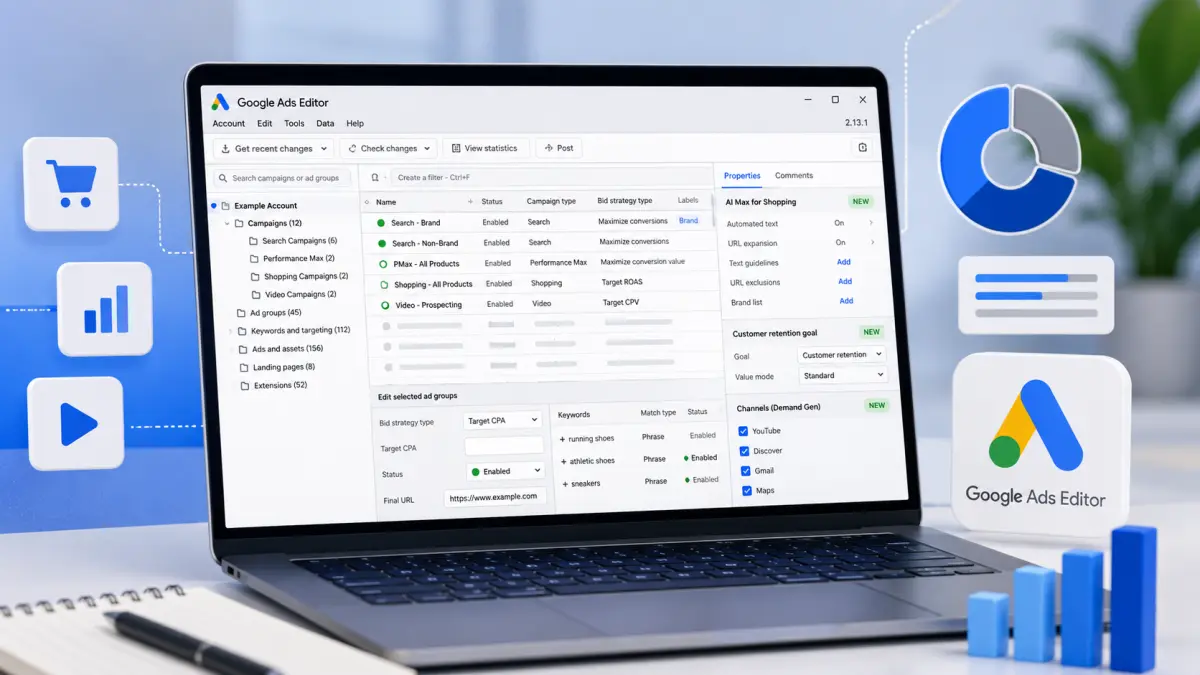
Google Ads Editor 2.13 is rolling out with support for AI Max in Shopping campaigns, new Performance Max retention goals, expanded Demand Gen features, and several workflow improvements for advertisers managing campaigns offline.
The update also adds new reporting capabilities and AI compliance tools while retiring support for creating new Video Action campaigns.
What's new
1. Full support for AI Max in Shopping campaigns — including automated text generation, URL expansion controls, brand lists, and URL exclusions
2. Customer Retention Goals in Performance Max — allowing advertisers to optimise toward re-engaging existing customers
3. New Business Name and Business Logo fields for responsive and non-skippable video ads
4. Maps placement support for Demand Gen campaigns
5. Native Channel Performance reporting — bringing Editor closer to the reporting available in the Google Ads interface
6. AI-generated content disclosure controls through a new User Attestation field for image and video assets
The release also includes several new best-practice warnings for video campaigns, improved column management, resume download support, and updates to bidding strategy management.
Why we care
AI Max for Shopping is the standout addition for PPC advertisers, bringing feature parity between Shopping, Search, and Performance Max campaigns within Google Ads Editor.
Advertisers who rely on Editor for bulk campaign management can now configure AI-powered features without switching back to the web interface.
Between the lines
Much of this release centres on bringing Google Ads Editor in line with features already available in Google Ads.
As Google expands AI-powered campaign management, Editor continues evolving from a simple bulk editing tool into a platform capable of managing nearly every major campaign feature offline.
The update also signals Google's ongoing migration away from legacy campaign types, with support for creating new Video Action campaigns now officially removed following their transition to Demand Gen.
Bottom line
Google Ads Editor 2.13 delivers one of its more substantial updates in recent releases — adding AI Max support in Shopping, expanding Performance Max capabilities, and giving advertisers more tools to manage Google's latest campaign features at scale.
Practical takeaways
Editor-based teams benefit most. The change is not the features but where they live — handling AI Max inside bulk workflows without bouncing to the web interface is the real time saving.
Configure the controls before enabling AI Max on Shopping. URL expansion controls, brand lists and URL exclusions shipped alongside it. Turning on automated text generation while leaving those empty is running uncontrolled — for test results see AI Max Spotted in Standard Shopping Campaigns.
Build retention goals separately from acquisition. The same change reached the API — see Google Ads API v25. Arriving in the interface, Editor and API simultaneously signals that Google now treats retention as a first-class objective axis.
Add the User Attestation field to your compliance process. AI-generated asset disclosure is now configurable in bulk from Editor — regulatory background in Google Rolls Out AI Content Labels.
Put the Video Action sunset on the migration calendar. New creation is officially removed; replan existing campaigns around Demand Gen.
Add Business Name and Logo to the brand guide. These are new fields on responsive and non-skippable video — left unfilled, the slot is empty or auto-populated.