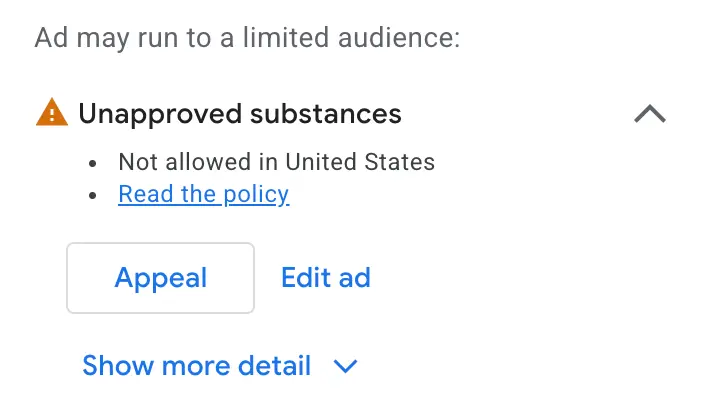
Google Ads can cut how often your ads appear without disapproving a single ad or suspending your account. The mechanism is the Limited Ad Serving policy. It restricts an account's eligibility to enter certain auctions, which lowers impressions and raises the cost of the traffic that remains. For advertisers who depend on branded keywords, affiliates, resellers and third-party lead generators, the damage is real, and removing the limitation can take months. What follows is a practitioner's account of how it works and how to fight it.
What Limited Ad Serving actually is
It is an account-level status. Google introduced it in 2023 for Search and YouTube campaigns, refined the policy in 2026 and extended it to Gmail, the Play Store and Discover. The broader rollout continues through 2028. We covered the expansion itself in Google Expands Limited Ad Serving Across All Ads: Trust Signals, Verification, Account History.
It is not a suspension, a strike or a disapproval, and Google is not saying you did anything wrong. Three similarly named statuses cause confusion:
- Limited Ad Serving: an account-level limitation that keeps your ads out of some auctions. Google does not disclose the criteria.
- Eligible (limited): an ad-level status showing that a specific ad cannot serve in certain situations, such as particular countries or age groups. There is usually more insight here.
- Limited Ads (AdSense): a publisher-side status about how personalized data is collected and used. Unrelated to advertisers.
Case study: a $3 million account lost 56% of its impressions
The author's client is an authorized retailer for several large brands, with written agreements permitting "authorized retailer" logos and brand names on landing pages and, in some cases, in ad copy. With no warning, Google notified the agency that impressions were being limited. The appeal, contracts attached, was denied almost immediately.
Average monthly impressions fell from 800,000 to 350,000, and that 350,000 came only from bidding far more aggressively and accepting higher CPCs and CPAs. After countless calls and emails, the case was escalated to director-level support. Seven months later the limitation was lifted and impressions returned to pre-limitation levels almost at once.
Who is most likely to be limited
The most common trigger is targeting other companies' or products' names as keywords. The flag shows up most often in affiliates, insurance, consumer services such as internet and phone providers, third-party lead generation, travel and franchises. In sensitive verticals, even a conventional competitor-conquesting campaign has been enough.
Google also monitors online reputation and direct reports about your ads. A high volume of complaints can trigger the limitation, or in worse cases an Unacceptable Business Practices suspension. New accounts are more exposed, but accounts with years of history and millions in spend have been limited too.
How to tell if you are limited
Google displays a notification in the account and usually sends an email, although it does not promise to. If you dismiss the notification, there is no way inside the account to confirm you are still limited. The only reliable check is to ask Google support.
Six prevention steps
If you are in a high-risk industry, there is no fail-safe. These steps align with Google's guidance and the author's experience.
- Do not target other companies' branded keywords unless you must. Competitor campaigns that use your own brand in the copy are usually fine. Bidding on brand terms as an affiliate, reseller or lead generator is where the risk sits.
- Use your own branding on landing pages. Do not use a partner's logo as your site logo. Put your own logo and business name in the header and footer, disclose the relationship where you mention the partner, and keep the partner's name out of your domain.
- Use your brand name in your ads. Bidding on "American Airlines" with a headline like "Call Customer Service Now" reads as generic, and Google may limit it.
- Pinning your domain is Google's advice, not proof. Google tells advertisers to pin the domain to the front of the headline, and support reps repeat it. The author has never seen it help and has seen it hurt CTR on already-limited accounts.
- Complete Advertiser Verification proactively. Google requires it anyway if you appeal.
- Keep disapproved assets at zero. Google crawls paused assets too, so a years-old ad with a broken landing page can be disapproved and draw scrutiny.
One more thing: Google has no mechanism for proving in advance that you are authorized to use another brand. The author tried submitting written agreements before creating accounts likely to be flagged. Google would not accept them. You have to be flagged first, then appeal.
What to do if you are limited
Apply the prevention steps above. Remove branded keywords you do not need. Collect every document that proves you may use the branding in your ads and landing pages, then submit an appeal. If you are an agency, submit the client's child CID, not your agency ID.
Expect the first appeal to be denied within one to five business days. Treat that email as the beginning, not the end. Reply respectfully and include:
- A detailed description of what you have done so people seeing and clicking your ads are not misled about which brand they are dealing with.
- A video walking through your ads and landing pages that explains why nothing is misleading.
- Any documentation showing you are authorized to use the brands and logos.
It is long and painful, but escalation through support and agency reps has worked. If you stopped targeting branded keywords, Google's periodic re-evaluation may lift the limit on its own. Re-application after a lift is uncommon unless you substantially change your keywords or business model.
A checklist for this week
If you are already limited: review ad copy and landing pages for anything that suggests you are the brand itself, remove branded keywords you do not need, gather authorization documents, and appeal or keep working the case.
If you are not limited: complete Advertiser Verification, clear disapproved assets, list every branded keyword in the account, and make sure a consumer can tell exactly which company they are dealing with the moment they land. If the account leans heavily on other brands' terms, it may be time to rethink the keyword strategy itself; Twenty Years of PPC, One Conclusion — "You're Not Doing Keywords, You're Doing Intent" is a useful starting point.