GoogleSearch Engine Land
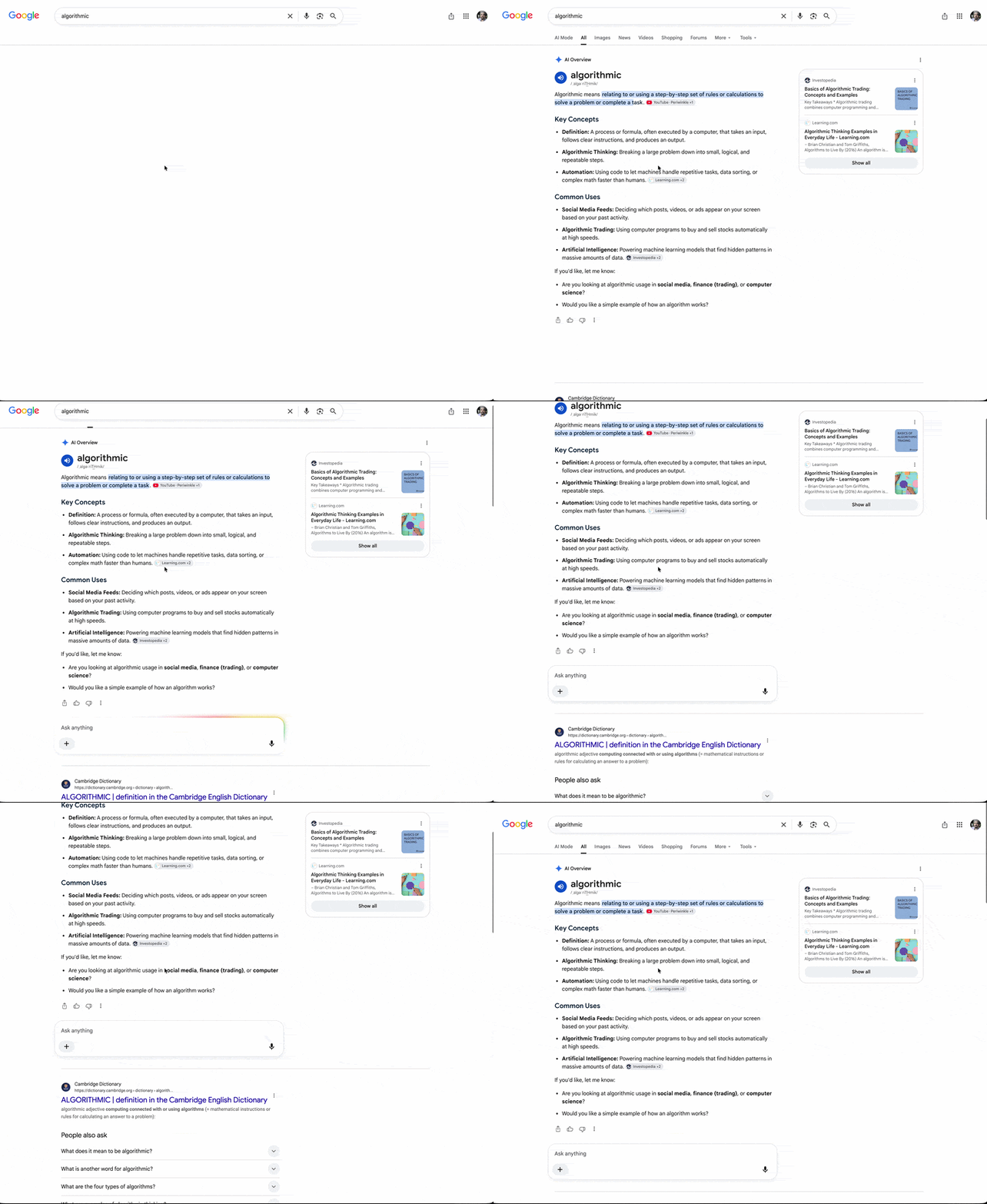
Google Is Auto-Expanding AI Overviews — Pushing Search Results Further Down
For some queries, AI Overviews now expand fully without a 'Show more' click. What that does to clicks and how to respond.
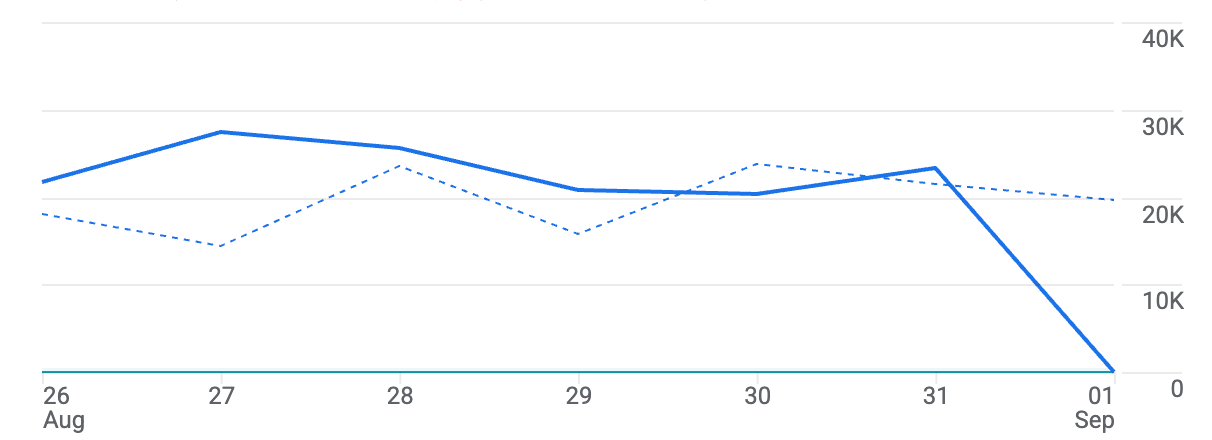
Google Analytics has a widespread bug where it shows no data for Tuesday, Sept. 1, 2026. The Google Analytics missing data issue is on Google's end — your site did not actually drop to zero visitors.
Google has not confirmed the issue yet, but there are countless complaints about the missing data, and it appears to affect a large number of GA4 accounts.
Dana DiTomaso, a Google Analytics expert, posted on LinkedIn: "It looks like Google Analytics is having an issue with processing yesterday's (August 31st) data. I'm seeing this pattern across multiple client accounts, so if you see this don't panic (I panicked) and hopefully it is resolved soon!"
First, don't go looking for the cause on your site. Rolling back a deploy or re-implementing tags won't fix it and will introduce new variables.
Second, don't report performance over a period containing this date. Weekly and monthly reports that include Sept. 1 will have distorted averages. Note the gap explicitly in the report, or compare over a window that excludes the date.
Third, don't adjust ad budgets or bids based on this date. Automated rules acting on a day with no recorded conversions will make changes unrelated to actual performance.
Cross-reference sources independent of GA4 — server logs, the ad platforms' own reporting, Search Console — to confirm traffic was normal. The habit of not relying on a single platform's reporting pays for itself in moments like this.
Google has not yet updated the Analytics status page but will likely address it soon. Why an independent baseline matters when measurement wobbles is the same argument as platforms grading their own homework.
No. This appears to be a data processing bug on Google's end, with the same pattern showing across many GA4 accounts.
Cross-reference GA4-independent sources: server logs, ad platform reporting, Search Console. Don't start changing your site or tags — that only adds variables.
Averages over any window containing the date are distorted, so note the gap explicitly or compare over a window that excludes it. Don't let this data drive budget or bid changes.
To apply what you just read to your own site, start with a free audit of where things are now.
A strategist replies within 24 hours on business days.
For some queries, AI Overviews now expand fully without a 'Show more' click. What that does to clicks and how to respond.
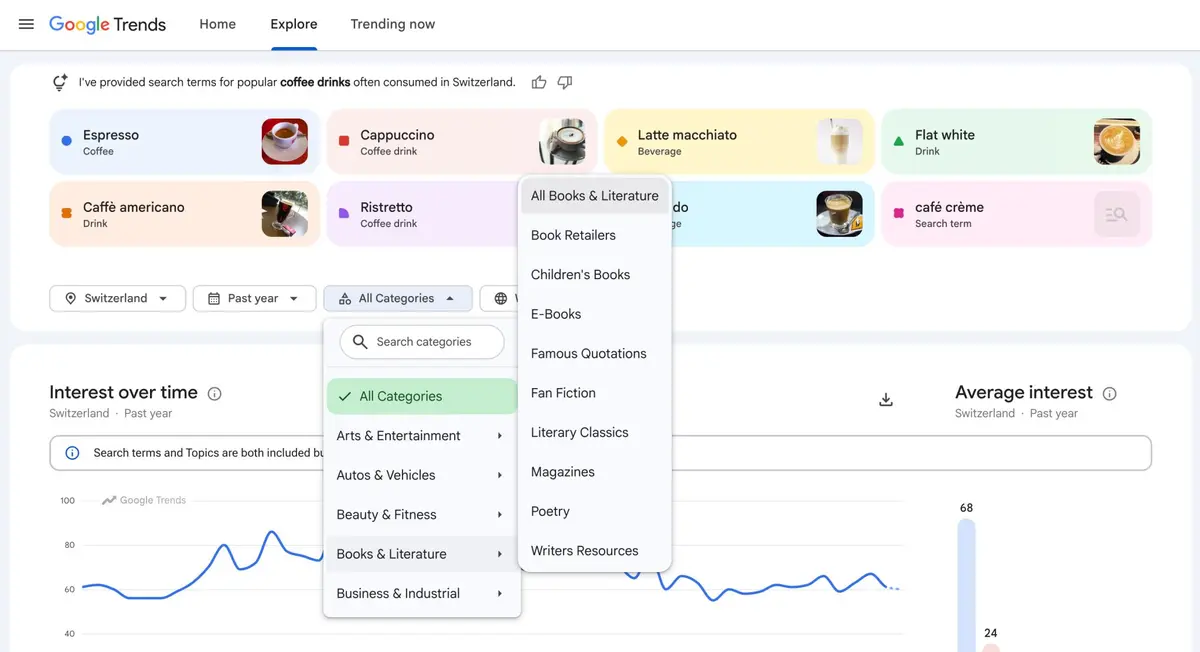
Google Trends can now filter the Explore page by category with no query entered. How to use it for topic discovery and, more usefully, for cutting noise.
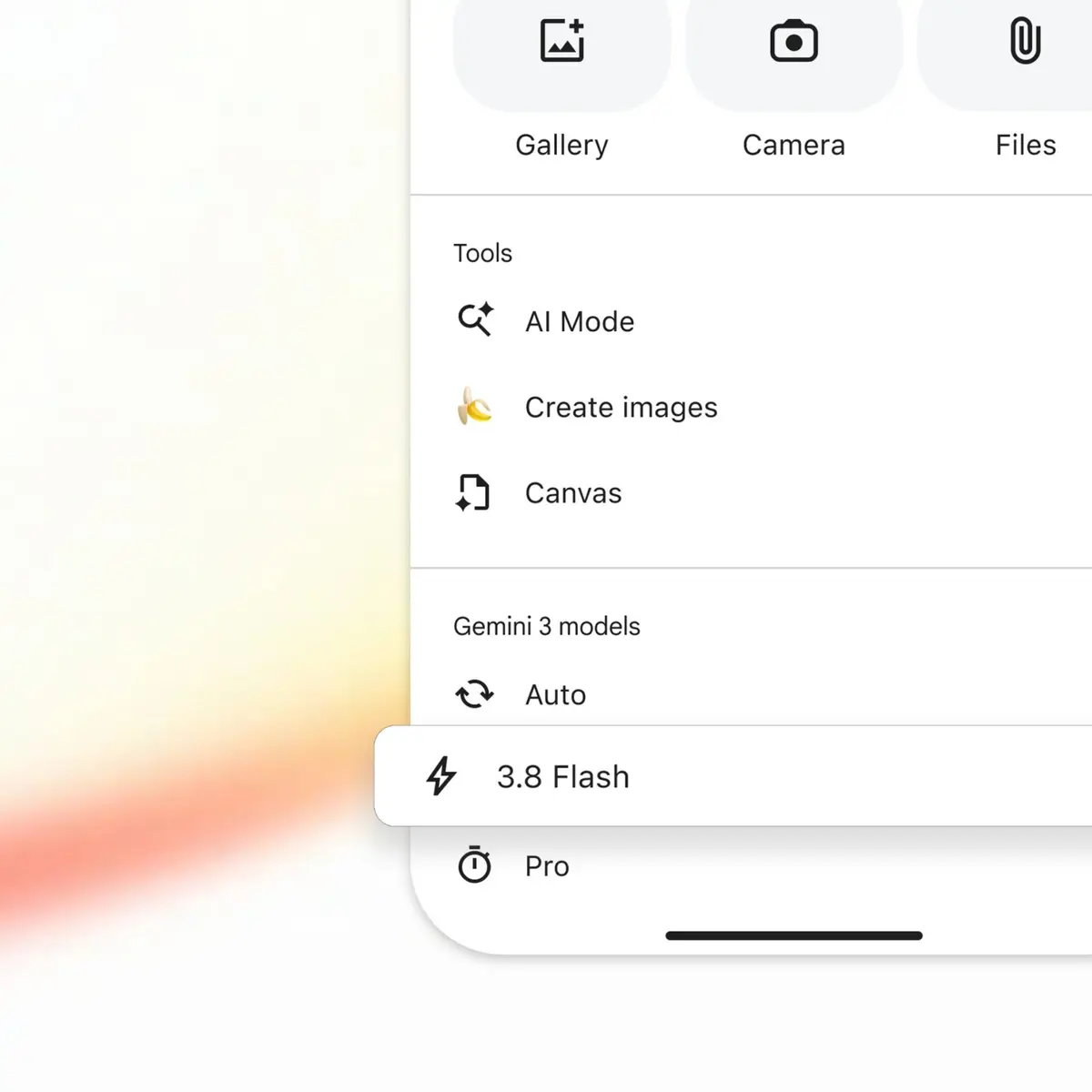
Google upgraded AI Mode to Gemini 3.8 Flash barely two weeks after 3.7. What the shrinking model swap cycle in Google AI Mode means for how you measure visibility.