GoogleSearch Engine Land
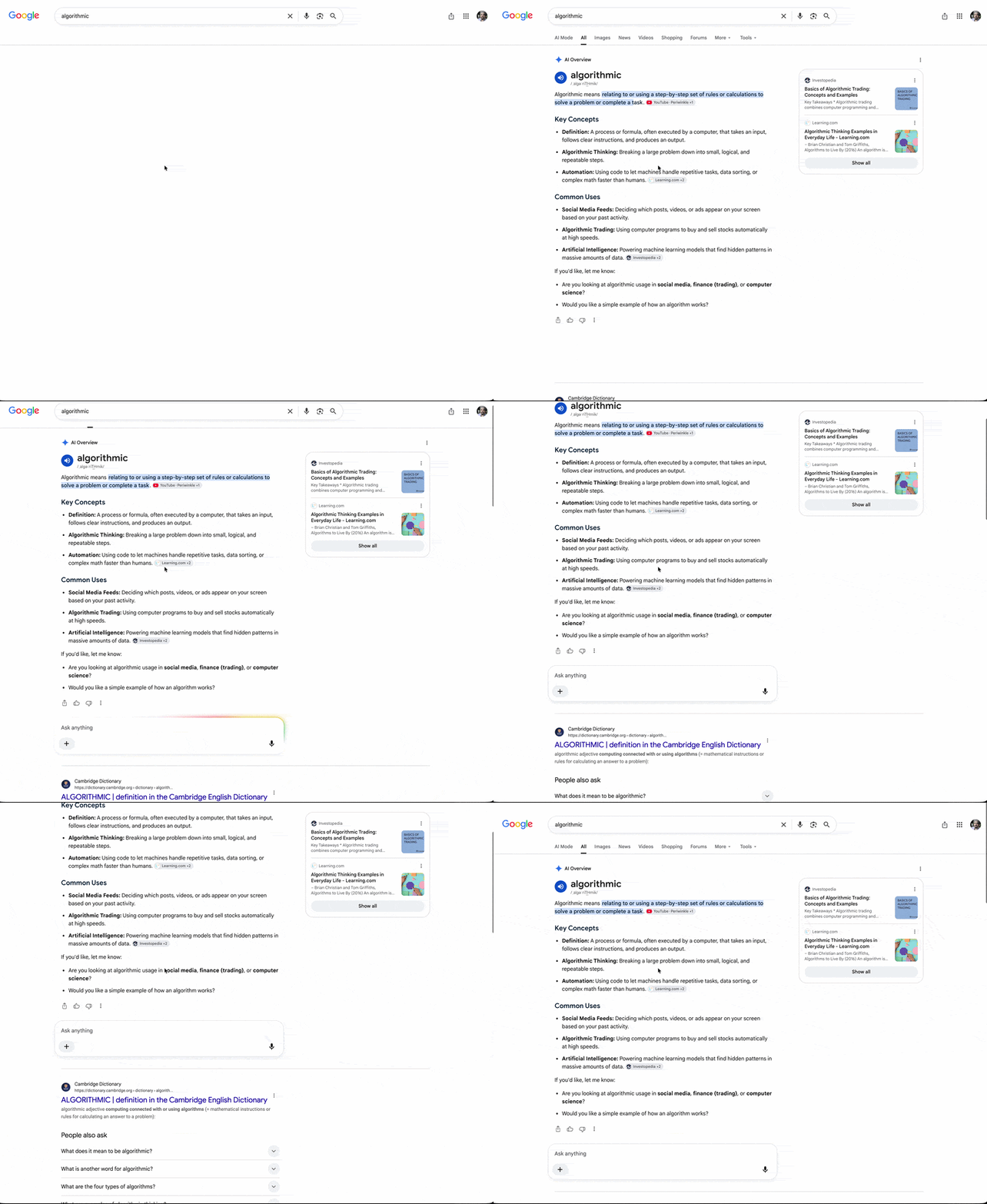
Google Is Auto-Expanding AI Overviews — Pushing Search Results Further Down
For some queries, AI Overviews now expand fully without a 'Show more' click. What that does to clicks and how to respond.
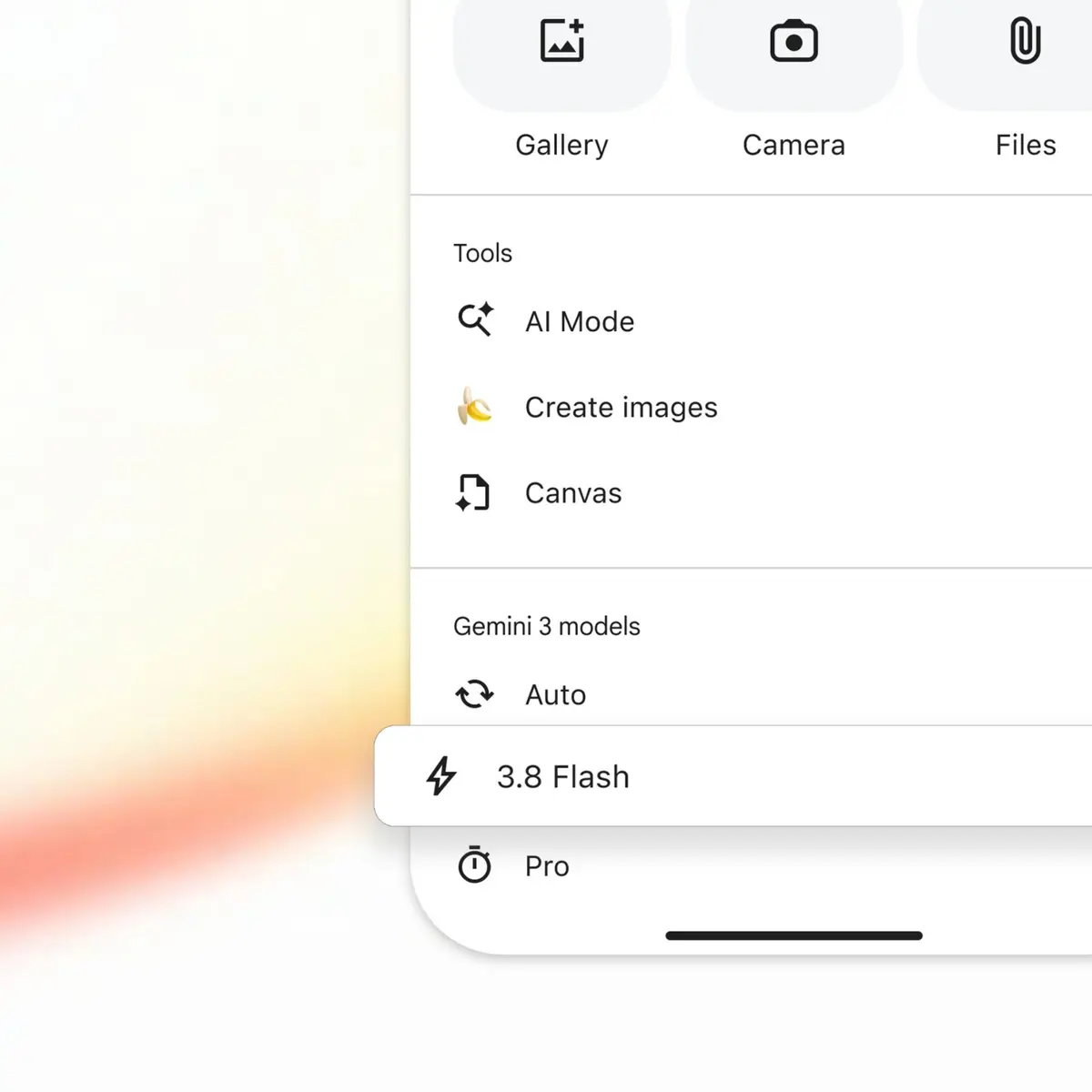
Google Search has upgraded Google AI Mode to run on its latest model, Gemini 3.8 Flash — just a couple of weeks after AI Mode moved to Gemini 3.7 Flash.
As with the 3.7 release, 3.8 Flash is available in AI Mode for Google AI Pro and Ultra subscribers, in English first. To access it, tap the (+) icon and select it from the model dropdown menu.
Robby Stein, Google's VP of product, posted on X: "Gemini 3.8 Flash has landed in Search 🔥" On performance, he added: "It's our most intelligent workhorse model yet, delivering significant improvements from 3.7 Flash across software engineering, agentic tasks, and multi-step reasoning."
Google will likely roll this out to all searchers, free plans included, over the coming weeks or months. Better models mean Google Search and AI Mode should keep improving.
The more useful signal for practitioners is the interval. A workhorse model replaced in two weeks means measuring AI search visibility once and treating the reading as durable no longer works. Whether your brand gets cited for a given prompt can shift with the model underneath it.
Match your measurement cadence to the model cadence. Move AI visibility checks from quarterly to monthly or tighter, and record which model was live when you measured. Without that, you can't tell whether a change in citations came from your content or from a model swap.
Read it alongside link carousels appearing in AI Mode: models and interface are moving at the same time, while being cited and being recommended stay separate problems.
Google AI Pro and Ultra subscribers, in AI Mode, in English. Tap the (+) icon and pick it from the model dropdown.
Google has typically widened access to all users, free plans included, over weeks or months. The 3.7 rollout followed that pattern.
Shorten the visibility measurement cycle and log the model version alongside each reading, so you can separate content-driven changes from model-driven ones.
To apply what you just read to your own site, start with a free audit of where things are now.
A strategist replies within 24 hours on business days.
For some queries, AI Overviews now expand fully without a 'Show more' click. What that does to clicks and how to respond.
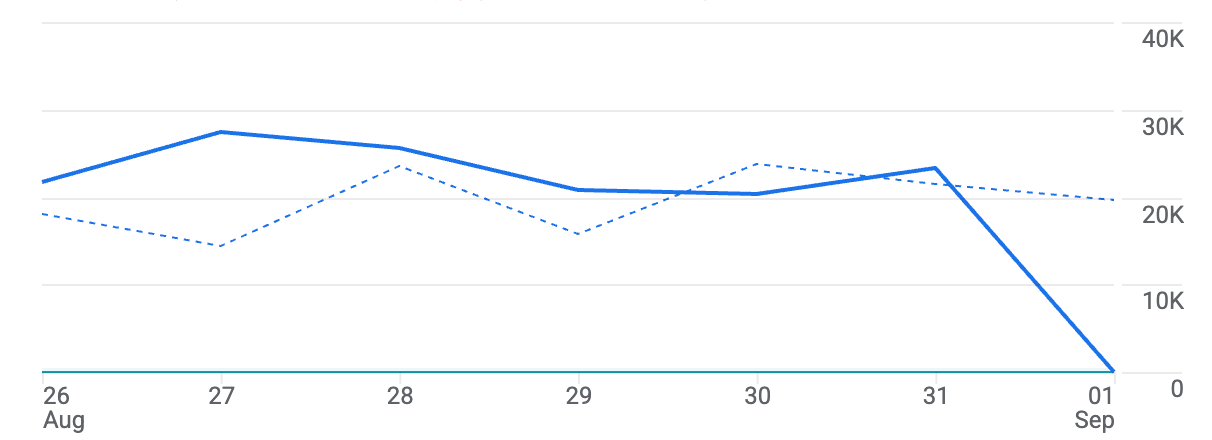
A widespread GA4 bug left Sept. 1, 2026 data missing across accounts. What to check and what not to do while Google Analytics data is missing.
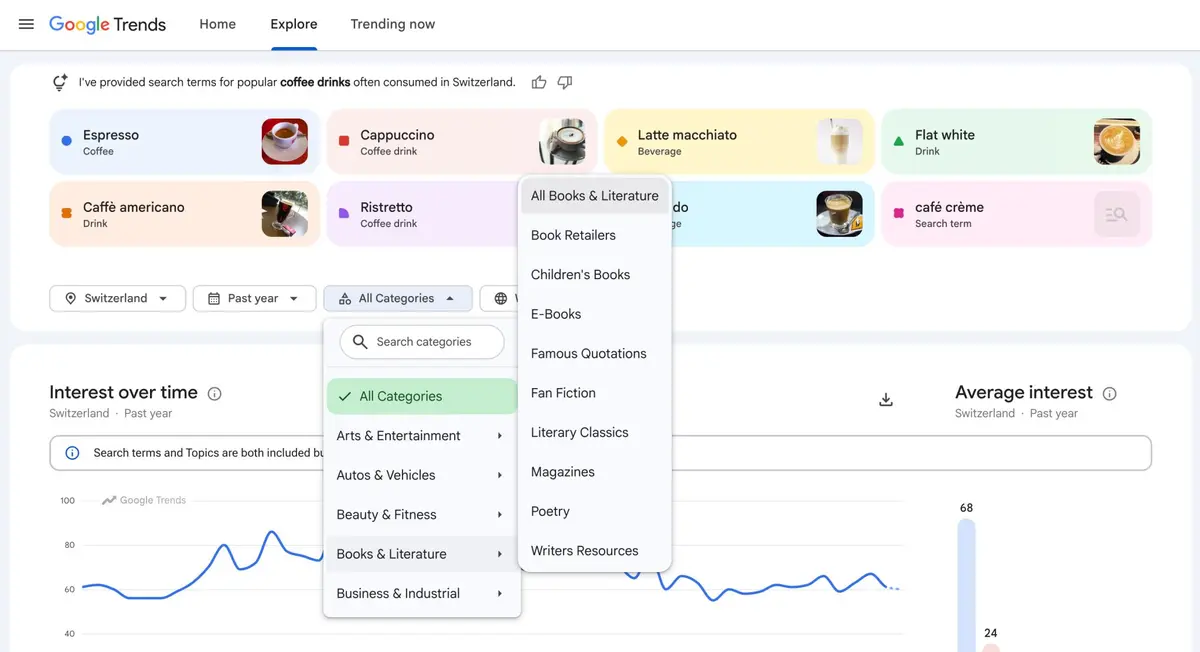
Google Trends can now filter the Explore page by category with no query entered. How to use it for topic discovery and, more usefully, for cutting noise.