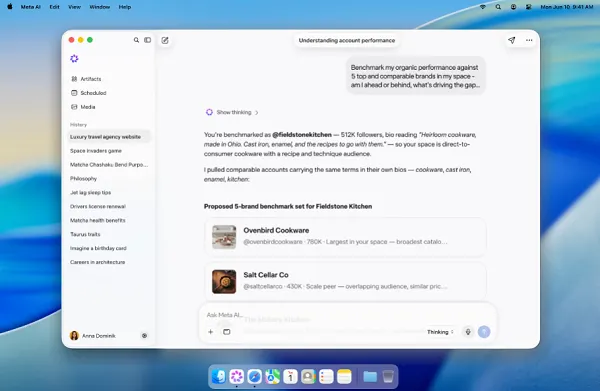
Meta has released a Mac version of its Meta AI app, adding another access point to its evolving AI assistant tools.
The Mac-specific iteration includes all the features of the mobile app, giving desktop users a way to integrate the assistant directly into their workflow.
What Desktop Changes
In Meta's words:
"With the new Mac app, you can share a window during a session to show what you're working on, and it responds with tailored advice to the work in front of you. You can also use built-in dictation that works across all apps on your Mac."
Both features only make sense on desktop. Window sharing enables "look at this screen and advise me," and system-wide dictation positions the assistant as an OS-layer tool rather than a separate app.
The Business Layer Is the Point
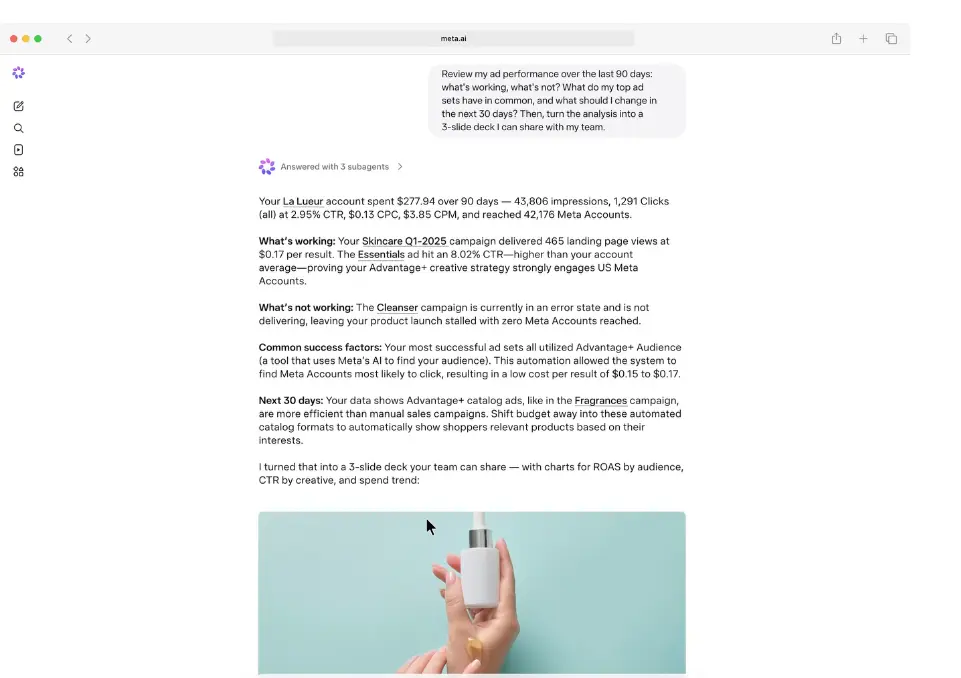
Meta said the app lets business owners ask questions about their business and "get answers drawn from the context only Meta has, like your account engagement and ad performance."
It also integrates publicly available insights about comparable brands, showing how they are building presence on Meta — direct comparison and benchmarking.
"You can also prompt Meta AI to use information from your business info and the web to create decks, docs, and spreadsheets you need to keep your business growing. And, you can let Meta AI handle work you've been doing manually by setting up recurring tasks and reminders to stay up to date on how your business is doing."
The advertising-side version of these capabilities already shipped when Meta AI gained the ability to analyze Meta Ads and connect Google Workspace. The Mac app broadens where those capabilities reach.
The Real Objective: Meta One
This release is another step toward monetizing Meta's AI offerings, with the company building business-specific use cases and tools to help brands get started.
The path is explicit. Meta said in its launch post that while the mobile and desktop apps are free to get started with, "businesses that want to use them even more will be able to subscribe to Meta One."
This is Meta's familiar approach: build tools users find increasingly valuable, then charge for access once they have come to rely on them. The intent is to guide business users from free AI tools to paid subscription, betting that utility makes payment feel like a logical next step.
Three Considerations
Recognize the asymmetry in benchmarking. Meta sees both your account data and competitors' public activity. Useful — but the comparison set and criteria are Meta's judgment. Using those outputs as strategic evidence warrants independent verification.
Do not hand over the workflow during the free period. Delegating recurring tasks and reminders to the assistant is convenient, and it also creates switching costs from that moment forward. To keep negotiating position when the paywall arrives, confirm that outputs remain reproducible outside the platform.
AI infrastructure costs eventually return as fees. Given the analysis showing how much of Meta's real AI cost sits off the books in unreported commitments, an indefinitely free tier is structurally unlikely.
Bottom Line
The Meta AI Mac app is both a feature expansion and monetization groundwork. Window sharing and dictation move it into desktop workflows, business data and benchmarking hold owners' attention, and Meta One collects. Use it free — but document what you are becoming dependent on.