Owners can now see what Google collected
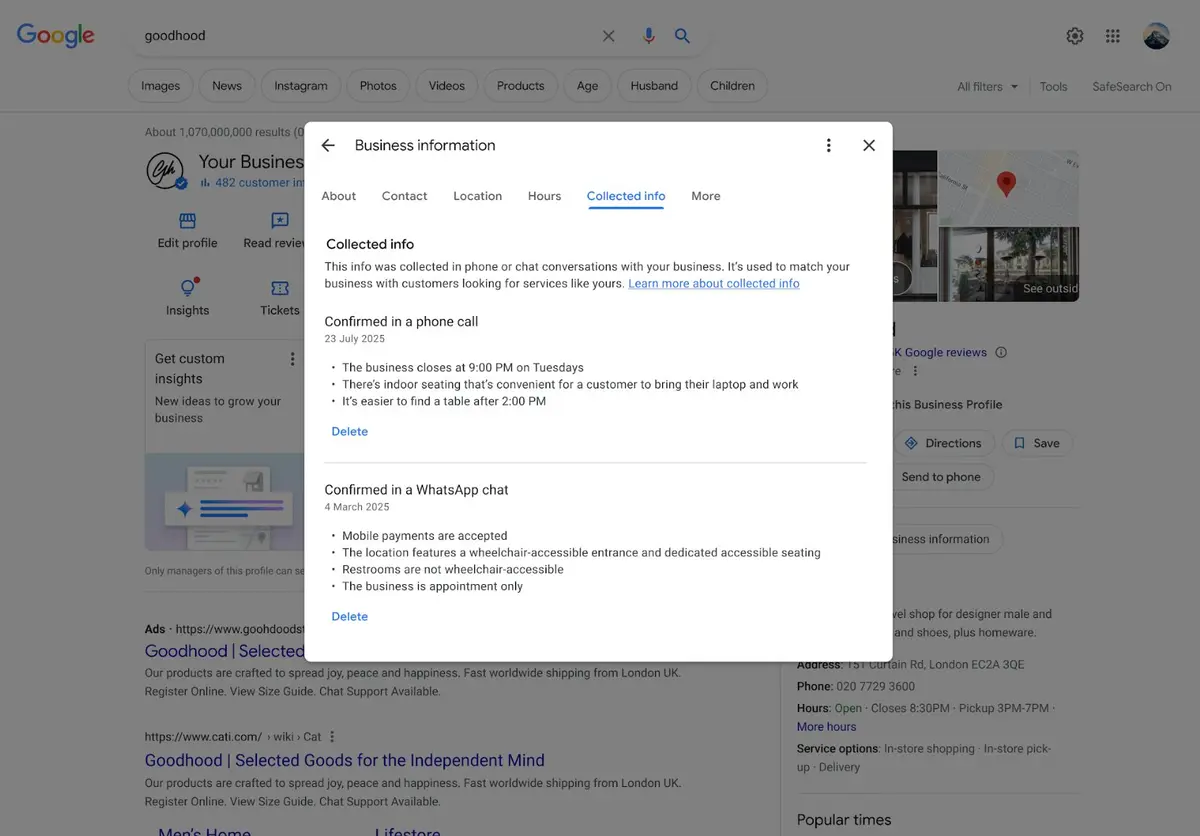
After months of testing, Google has officially launched the “Collected info” tab in Google Business Profile. “You can now review details verified by Google’s automated assistant right inside your Business Profile dashboard,” Google posted on X. “Head to the ‘Collected info’ tab to see what was gathered and delete any outdated details.” Google Business Profile Collected info gives owners a way to correct automated updates that get it wrong.
The tab explains: “This info was collected in phone or chat conversations with your business. It’s used to match your business with customers looking for services like yours.” Inaccurate details can be deleted.
How the information is gathered
According to Google’s help documentation, Google may contact the verified phone number on a profile through automated calls, texts or WhatsApp messages to confirm business details, and responses may be used to update the profile. The feature is currently available only for select regions, languages and business categories.
How to review and delete
- Go to your Business Profile.
- Select Edit profile, then Collected info.
- Review the information for accuracy; you can also see its source and collection date, shown in the language it was originally provided.
- Select Delete to remove any piece of information.
One caveat: deleting collected information removes it from Google’s records but doesn’t change details already on your Business Profile. If wrong information has already been published, edit the profile itself too.
What local businesses and agencies should do
Automated updates can be wrong
Google frequently updates business details automatically, and its systems sometimes err. Wrong hours, services or price ranges — details customers check before visiting — cost business directly. The new tab helps find and remove those errors.
Decide who answers Google’s automated calls
Whoever responds to Google’s calls or texts is effectively editing your profile. Casual answers from busy staff can introduce errors. Assign a responder, standardize answers and review the tab regularly.
Accurate data drives rankings and citations
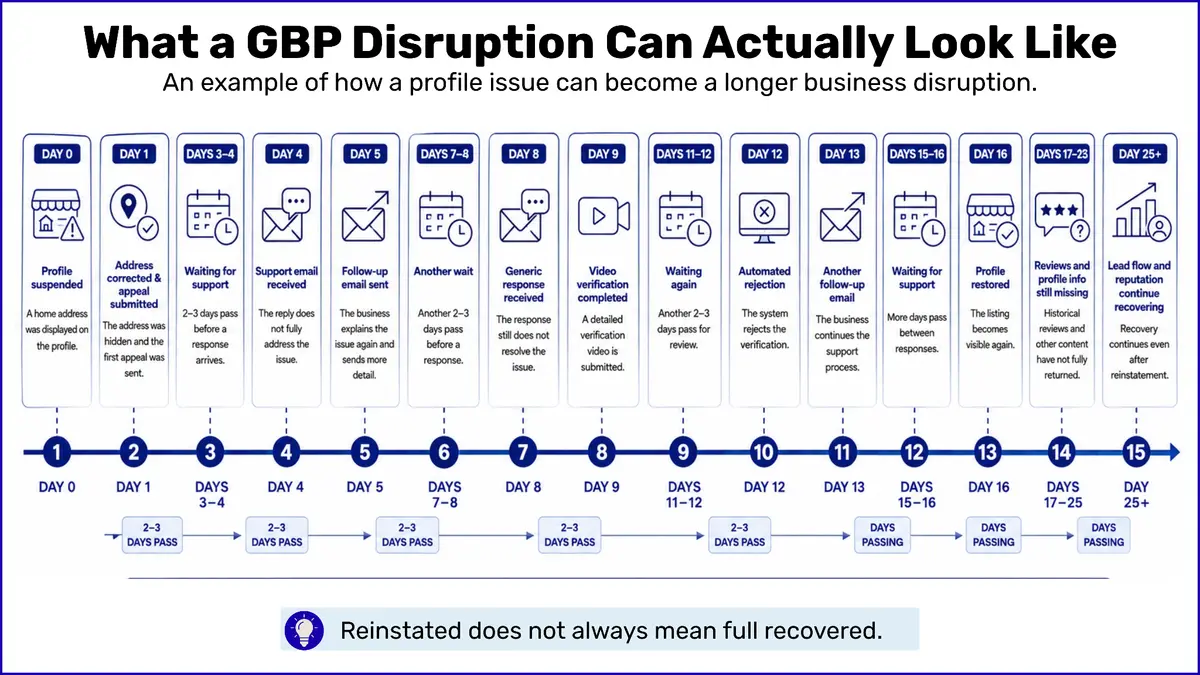
Profile information feeds local rankings and AI answers. Pair this with what 1.8 million Google Business Profiles reveal about local rankings and a four-step continuity plan for profile suspensions to tighten your operating checklist.