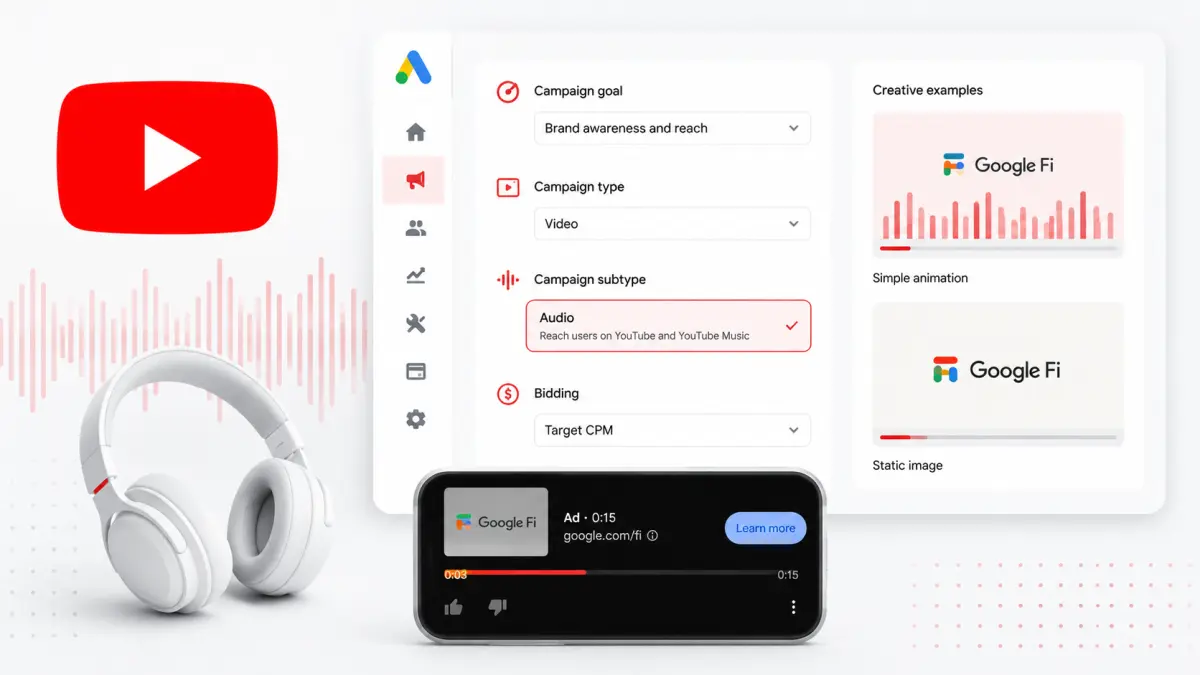
Google has published its first standalone help page devoted to YouTube audio ads. The format has been buyable for several years, but advertisers previously had to assemble the details from scattered video-campaign documentation. The new page consolidates creative specifications, campaign setup, and creative best practices in one place.
No new ad product shipped here. Existing inventory simply got an official reference — and that alone lowers the barrier to testing it.
Where YouTube audio ads actually run
The documentation is explicit that audio ads target listening-first experiences. They serve across both YouTube and YouTube Music, in moments when someone is consuming sound without watching the screen: a playlist running during focused work, background playback while commuting.
Creative is still uploaded as a YouTube video. Because the viewer is assumed not to be looking, Google recommends a static image or simple animation. Elaborate video editing is not what moves the needle in this format.
Creative length determines skippability
This is the specification that matters most operationally.
- Up to 15 seconds: serves as a non-skippable ad.
- 16 to 30 seconds: serves as a skippable ad.
There is no toggle for this. Length is the setting. If the message fits in 15 seconds, you can compel a complete listen; if it needs longer, you accept drop-off at the front. Because it is decided in the edit, it is expensive to reverse later.
The campaign setup path
The flow is spelled out as well: choose the Brand awareness and reach objective, select the Audio video campaign subtype, and bid with Target CPM. This is a reach-and-impression pricing structure, not conversion bidding — worth agreeing on internally before anyone asks for a cost-per-lead readout.
Why documentation, and why now
A doc release with no feature attached is itself a signal. The straightforward reading is that Google is actively promoting YouTube's audio inventory, lowering friction on supply it already had as advertisers look beyond conventional in-stream video placements.
It also fits a broader pattern of the platform breaking out performance by format. As covered in Google Ads API v25: YouTube Shorts Engagement Metrics and a Loyalty Retention Goal, Google keeps adding format-specific measurement rather than lumping YouTube into one bucket.
What to check before you test
Decide where the budget comes from. Audio is not a substitute for a conversion campaign. If you already run reach or awareness budget, carve the test out of that line — not out of performance spend.
Build a 15-second cut first. Trimming an existing film to 30 seconds drops you into skippable inventory by default. Winning a non-skippable placement means writing a self-contained 15-second audio message, which is closer to copywriting than to editing. Old radio discipline applies: brand name in the first three seconds.
Fix the success metric up front. Asking for ROAS from a Target CPM buy produces an unanswerable question. Choose between reach, completion rate, and branded-search lift before launch. That alignment matters more as the platform's surfaces expand — see Google's Ad Revenue Hits $81.6B: "AI Is Additive to Search, Not a Replacement" for the scale context.
A help page does not generate performance. It does remove "we didn't know the specs" as a reason not to try.